FiveM Clothing Tester
Test and preview FiveM clothes on a 3D ped in your browser. Combine items and import your own texture to see how it looks.
The tester needs a bigger screen. Open this page on a computer to try it.
- Build an outfit from 5,900+ GTA V clothing items.
- Import a PNG, JPEG or WEBP and see it on the ped.
- Nothing to install: it runs in your browser.
How to test FiveM clothes online
Preview clothing before you add it to your server, with no game, no OpenIV and nothing to install.
Drop your texture
Import a PNG, JPEG or WEBP, or start from any of the 5,900+ GTA V clothing items.
Pick the item
Choose the clothing it belongs to, and it goes straight onto the ped in its slot.
Check it on the ped
Rotate and zoom on the male or female ped, and combine it with other clothing.
Other tools
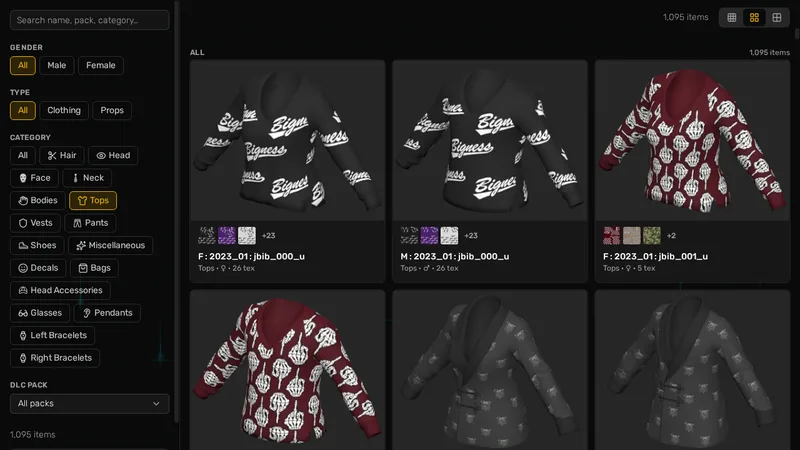
FiveM Clothing Catalogue
Browse 5,900+ GTA V clothing items by category, with the pack and drawable number for each.
FiveM clothes tester FAQ
Drop your texture on this page, pick the item it belongs to, and it appears on a 3D ped in your browser. You see how it looks before you stream anything to your server.
No. The tester runs in your browser, so there is nothing to install and no game files to open.
The male and female freemode peds, mp_m_freemode_01 and mp_f_freemode_01, the ones most FiveM servers and clothing packs use.
You can test a texture on any of the 5,900+ GTA V items. The tester does not load custom .ydd models, so a new garment shape won't show.
Yes. Trying clothing on and importing your own texture are free, with no sign-up.
A PNG, JPEG or WEBP image up to 20 MB.
Saving needs Alive Studio. It's $25 once, with no subscription, and you can then design new clothing while you test it on your saved outfits.
If you haven't signed in, it's removed after 24 hours.
It shows the clothing on a 3D ped in your browser, not in the game. Check it on your server before you release it.
Not yet. Open this page on a computer to use the tester.
Still stuck? Ask the team on Discord.
Join our Discord